
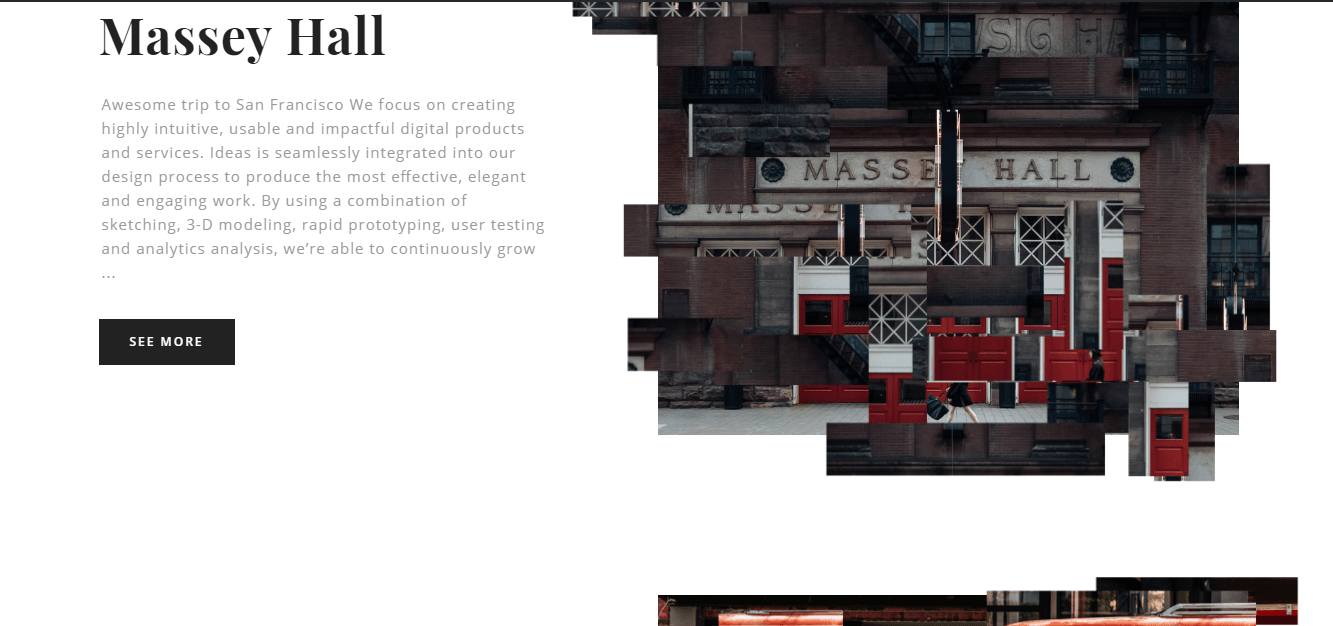
Portfolio list short-code:
This short-code allows adding section list of portfolio items (with different animations), which you want to add on your website.
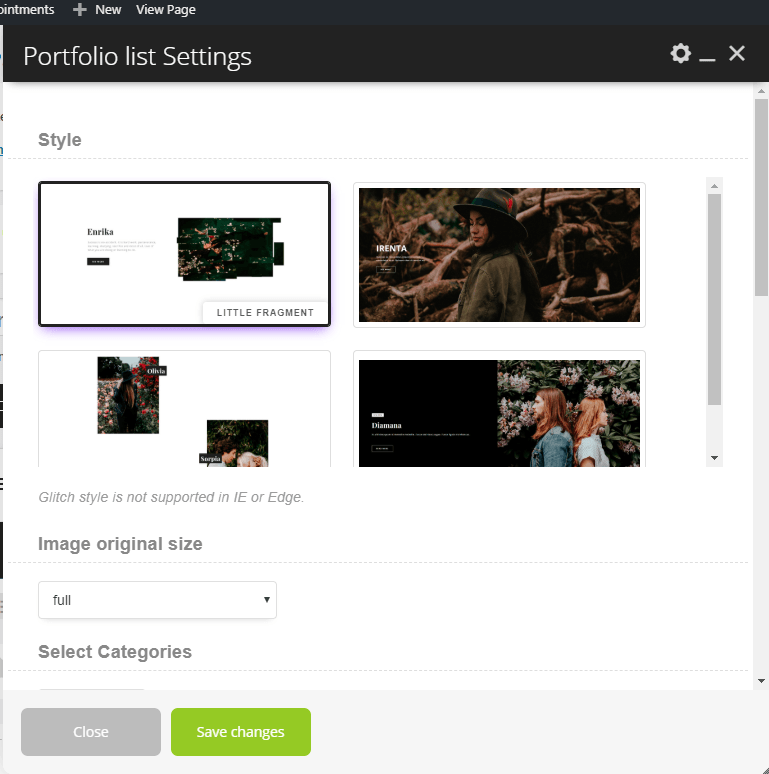
Portfolio list Settings (Parent shortcode parameters).
General:
- Style – This option allows chose between different styles, which you want to use on your page.
- “Little Fragment”: In this style images will be displayed like “little fragment” which moves.
- “Parallax Showcase”: In this style images will be displayed with parallax effect.
- “Glitch”: In this style images will be displayed with specific animation. Note: Glitch style is not supported in IE or Edge.
- “Distortion”: In this style images will be displayed with “distortion” animation.
- Image original size – This option allows select image size, which you want to use on your page.
- Select Categories – This option allows selecting the categories, which you want to use on your page.
- Order by – This option allows selecting the categories, which you want to use on your page.
- Sort order – This option allows Select ascending or descending order, which you want to use on your page.
- Count of fragments – This option allows selecting specify count number of portfolio fragments, which you want to use on your page.
- Count items – This option allows selecting specify the count of items portfolio fragments, which you want to use on your page.
- Linked to detail page – This option allows enable the link to the detail page, which you want to use on your page.
- Text for button
- Button style – This option allows choosing the style of button.