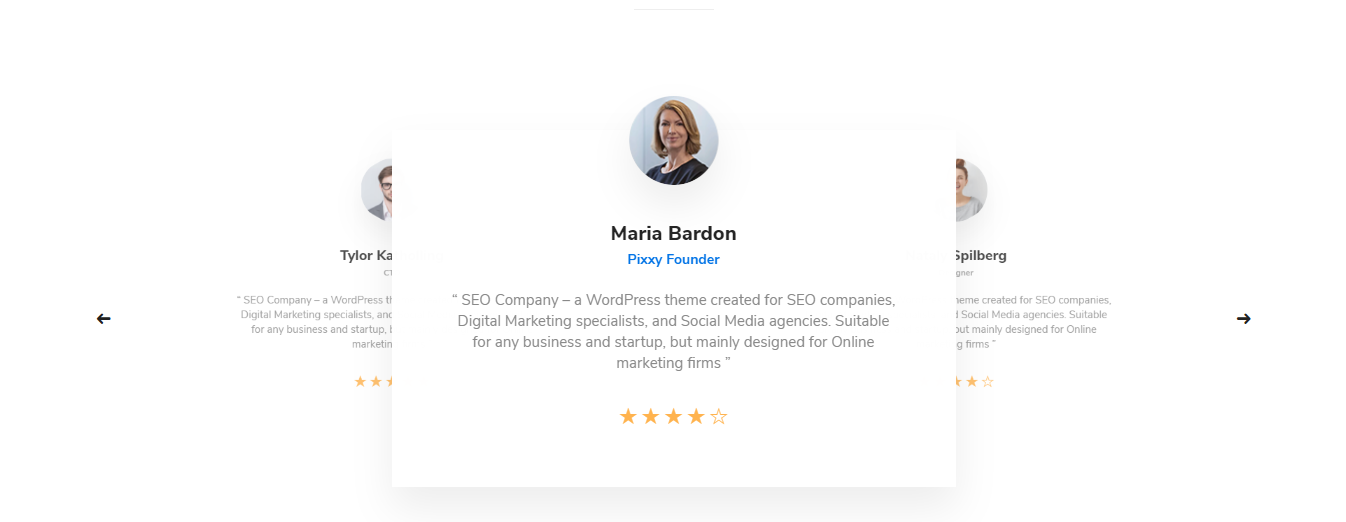

Testimonial shortcode
Parent parameters:
- Style – There you can select the style of this shortcode which you want to use on your site.
- Full-width slides:
- Change color for text – There you can change the color of the text.
- Autoplay (sec) – There you can select the time (sec) when your slides start to switch.
- Speed (milliseconds) – There you can select the time of the animation speed, how your slides will move.
- Loop – Images start to repeat at the end.
- Extra class name – If you wish to style particular content element differently, then use this field to add a class name and then refer to it in your CSS file.
- Multiple Slides (style 1):
- Change color for text – There you can change the color of the text.
- Autoplay (sec) – There you can select the time (sec) when your slides start to switch.
- Speed (milliseconds) – There you can select the time of the animation speed, how your slides will move.
- Loop – Images start to repeat at the end.
- Count of slides for large desktop – There you can select the count of slides.Only numbers. By default is 4.
- Count of slides for middle desktop – There you can select the count of slides.Only numbers. By default is 3.
- Count of slides for tablet – There you can select the count of slides.Only numbers. By default is 2.
- Count of slides for mobile – There you can select the count of slides.Only numbers. By default is 1.
- Extra class name – If you wish to style particular content element differently, then use this field to add a class name and then refer to it in your CSS file.
- Multiple Slides (style 2):
- Change color for text – There you can change the color of the text.
- Autoplay (sec) – There you can select the time (sec) when your slides start to switch.
- Speed (milliseconds) – There you can select the time of the animation speed, how your slides will move.
- Loop – Images start to repeat at the end.
- Count of slides for large desktop – There you can select the count of slides.Only numbers. By default is 4.
- Count of slides for middle desktop – There you can select the count of slides.Only numbers. By default is 3.
- Count of slides for tablet – There you can select the count of slides.Only numbers. By default is 2.
- Count of slides for mobile – There you can select the count of slides.Only numbers. By default is 1.
- Extra class name – If you wish to style particular content element differently, then use this field to add a class name and then refer to it in your CSS file.
- Flipping Slides:
- Change color for text – There you can change the color of the text.
- Extra class name – If you wish to style particular content element differently, then use this field to add a class name and then refer to it in your CSS file.
Child parameters:
- Image – There you can add the image of the testimonial.
- Content – There you can add the content of the testimonial.
- Author’s name – There you can add the name.
- Position – There you can add the position.
- Rating – There you can add the stars.
- Socials – There you can add the socials item of the testimonials:
- Select icon – Thre you can select the icon of the social item.
- url – There you can add the URL of the social item.